
From product photo to ad creative: a six-step production line
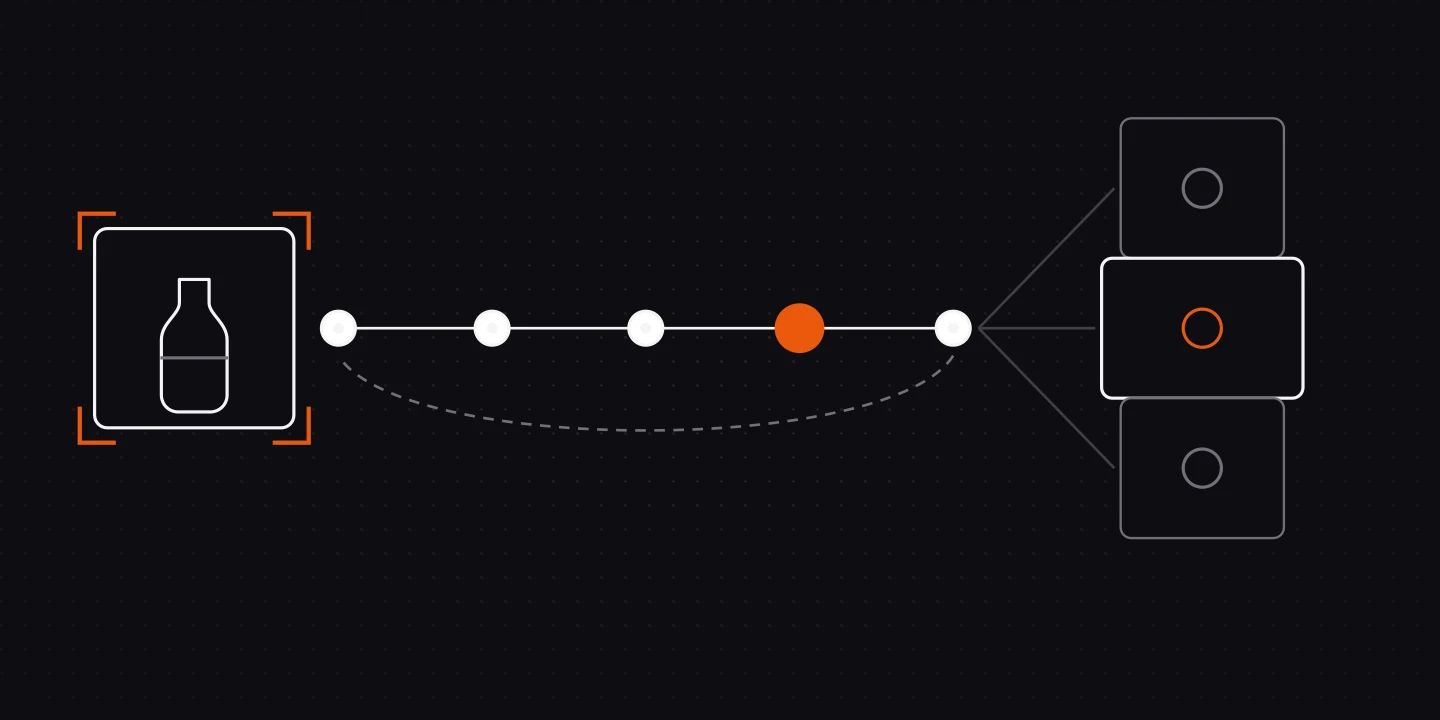
The steps that turn a single product photo into a platform-ready ad creative: scene selection, reference locking, quality control and variants.
Short answer
- Six steps: product analysis, scene selection, reference locking, compose, quality control, variants.
- Output quality is decided by reference fidelity and scene fit, not by the model you pick.
- One photo can yield several angles of the same message, ready to test side by side.
Turning a product photo into an ad is not a background swap. When the product's label, material and scale are not preserved, the result looks fake in the first second, and the click-through rate says so immediately.
The six steps below are the order our own production line runs in.
Know the product first
Before anything is generated, the pipeline needs to know what it is selling: a physical product, software, a service, or an info product. That branch decides everything after it, a line built on the physical-product assumption produces nonsense for a SaaS product, where a screen matters more than a box on a table.
A pipeline that starts from the wrong assumption amplifies that error at every later step.
Pick a scene, don't invent one
The scene library is made of copyright-free recipes, and each recipe describes a state: where the product sits, where the light comes from, which surface is visible.
- Locked fields: the product itself, its label and proportions. Never changed.
- Slot fields: the surface the product rests on. Left empty by the recipe.
- Adaptive fields: palette and light temperature. Adapted per product.
Without that split, generated scenes either float the product in mid-air or reinvent the label.
Lock the reference
The product photo goes to the model as a reference; the scene image is the second one. Without both, you get "a similar product" instead of yours.
Reference fidelity is the single largest variable in output quality. Swapping models rarely makes this much difference.
Quality control has to be cheap
After every generation a visual review step runs: is the product recognisable, are the proportions intact, is the text mangled? Retries rejected by that review are not billed to the user, because quality control is the line's responsibility, not the customer's.
Produce variants, never a single image
Nothing is tested with one creative. Three angles of the same message (problem, benefit, social proof) go live together and you compare how each one performs. Several angles can show which message lands; a single image cannot.
Plan the launch test
For a product launch, decide the test before you produce anything. A small matrix keeps it honest:
| Angle | Format | Hypothesis | What you compare |
|---|---|---|---|
| Problem | 4:5 image | Naming the pain stops the scroll | Click-through rate |
| Benefit | 4:5 image | A clear benefit beats a clever line | Click-through rate |
| Social proof | 9:16 video (Creator plan and above) | Seeing the product in use builds trust | Video views and click-through rate |
Three rules keep the result readable: change one thing between variants, give each the same budget and audience, and decide in advance how much data you need before you call a winner. Whatever wins is a finding about this product and this audience, not a rule for every brand.
Write the result back to the brand
Every published creative's performance is written into the brand's memory. The next production does not start from zero: whichever scene, angle and message worked for that brand, the next set is built on top of it.
Frequently asked
Yes. A single photo where the product is clearly visible is enough to lock the reference. More angles improve variant quality but are not required.
No. Output is generated with your own product photo as the reference; nothing is pasted onto a stock image.
It depends on the format and the mix you choose. Images come back faster than video, and retries triggered by quality control add time.
Meta and Google in their correct aspect ratios; the TikTok vertical format is derived from the same set.
Related posts
Your ad team is one URL away.
Enter your brand and produce your first creatives today, free.
Start free. No credit card needed.